Compare the focus timers in Edo Mura and SHIKI
Compare Edo Mura and SHIKI LOFI JAPAN by scenery, session controls, and sound.
Published November 22, 2026 · Yamazaki Studio
Choose what you want beside your work
Edo Mura lets you watch village life while working. SHIKI lets you choose a landscape and its sound. Try the view where you actually plan to use it: on a phone beside you or in a browser window next to your work.
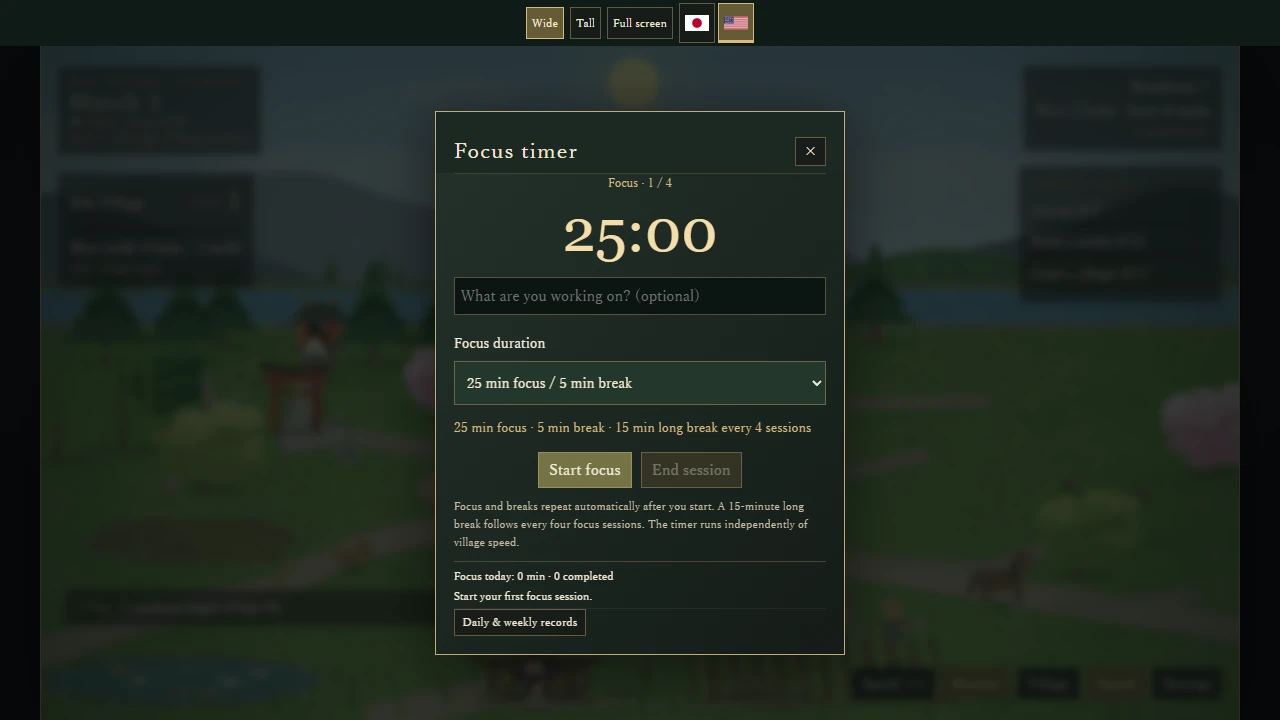
Start a session in Edo Mura
Open the focus timer, choose focus and break durations, and start. Set background music and alert volumes separately. Close the timer panel when you want a larger view of village life. Edo Mura controls and focus timer
Set up SHIKI
Choose a landscape, then adjust music and ambience in settings. Start with a short 15-minute focus session or choose another preset such as 25 minutes of focus and five minutes of rest. Pause if you need to step away. SHIKI guide and launch
Test the alert in your usual setup
Run a short session with ambience turned down. Browser notifications in SHIKI depend on permissions and browser support. If you plan to close a tab or let the device sleep, check notification behavior under those conditions.
Common questions
Can I watch the scenery by itself?
SHIKI has a scenery-only mode. In Edo Mura, close the focus panel to watch the village.
What if there is no sound?
Interact with the page to start audio, then check in-app and device volume. Check ambience and alerts separately.